

ArticleClinical records9 min read
SOAP notes for vet practices, with a template to copy
What goes in each section of SOAP notes for vet practices, with a template you can copy and adapt for sick visits, rechecks and vaccinations.
SOAP is a way of structuring clinical notes so that every consultation record follows the same order. The letters stand for Subjective, Objective, Assessment and Plan. The order matters, because a colleague who sees the patient next should be able to follow your reasoning from the owner's account through to what was agreed, without ringing you to ask.
Below you will find what belongs in each section of a veterinary SOAP note and a template you can copy into your practice management system or save as a PDF. The later sections cover how Vetz drafts the note from the consultation itself, for practices that want the first draft written for them.
What goes in each part of a vet SOAP note
Subjective
In human medicine this section records what the patient says. Your patient cannot tell you anything, so in a veterinary consult the subjective section holds the owner's account of why they have come in and how the problem has developed since it started. Add what they have noticed at home, such as changes in appetite, thirst, toileting, energy or behaviour, along with the background that puts it in context, from diet and current medication to previous episodes or recent travel.
Write it down as the owner's report, in their words where the wording matters. It is information you have been given and have not yet confirmed, and the next person to read the record needs to be able to tell the difference.
Objective
What you measured or observed yourself goes here. Start with weight and the vital signs your practice records as standard, followed by the clinical examination body system by body system. Results of any tests run during the consultation go at the end of the section, with their units.
Record normal findings as well as abnormal ones. If the note says the heart and lungs were auscultated with no abnormality detected, the next vet knows you listened, which an empty line cannot tell them.
Assessment
The assessment is your interpretation of the subjective and objective findings. Write a problem list and, for each problem, either the diagnosis or the differentials you are still considering, ranked where you can. When the findings have not settled the question, say so and note what would change your thinking.
This is where a colleague, or anyone who reviews the record later, looks to understand your reasoning, so it helps to show how you got from the findings to your conclusion.
Plan
The plan records what you did in the consultation and what happens next. List the diagnostics and treatment, both those carried out and those recommended, and note what you discussed with the owner, including any options they declined and the estimate they agreed to.
Finish with the follow-up, such as a recheck date or a call with results, so that anyone reading the record knows when the patient should next be seen and who is responsible for making contact.
A veterinary SOAP template you can copy
Copy the template below into your practice management system as a note template. If your team prefers a printed sheet, paste it into a document and save it as a PDF. Fields that do not apply to a particular consultation can be deleted.
SUBJECTIVE
Reason for visit:
Onset and progression:
Owner's observations at home:
Appetite and thirst:
Urination and defecation:
Diet:
Current medication and supplements:
Relevant history:

OBJECTIVE
Weight:
Vital signs:
Body condition score:
Clinical examination by body system:
Tests carried out in the consultation, with results:

ASSESSMENT
Problem list:
Diagnosis or differential diagnoses, with reasoning:

PLAN
Diagnostics carried out or recommended:
Treatment given or dispensed:
Discussed with the owner, including declined options:
Estimate given and consent:
Follow-up and recheck date:
Adapting the template to the consultation
A single fixed form for every appointment tends to fill the record with empty fields, and the useful information gets harder to find among them. Keeping one full template alongside a few shorter versions for routine appointments avoids that.
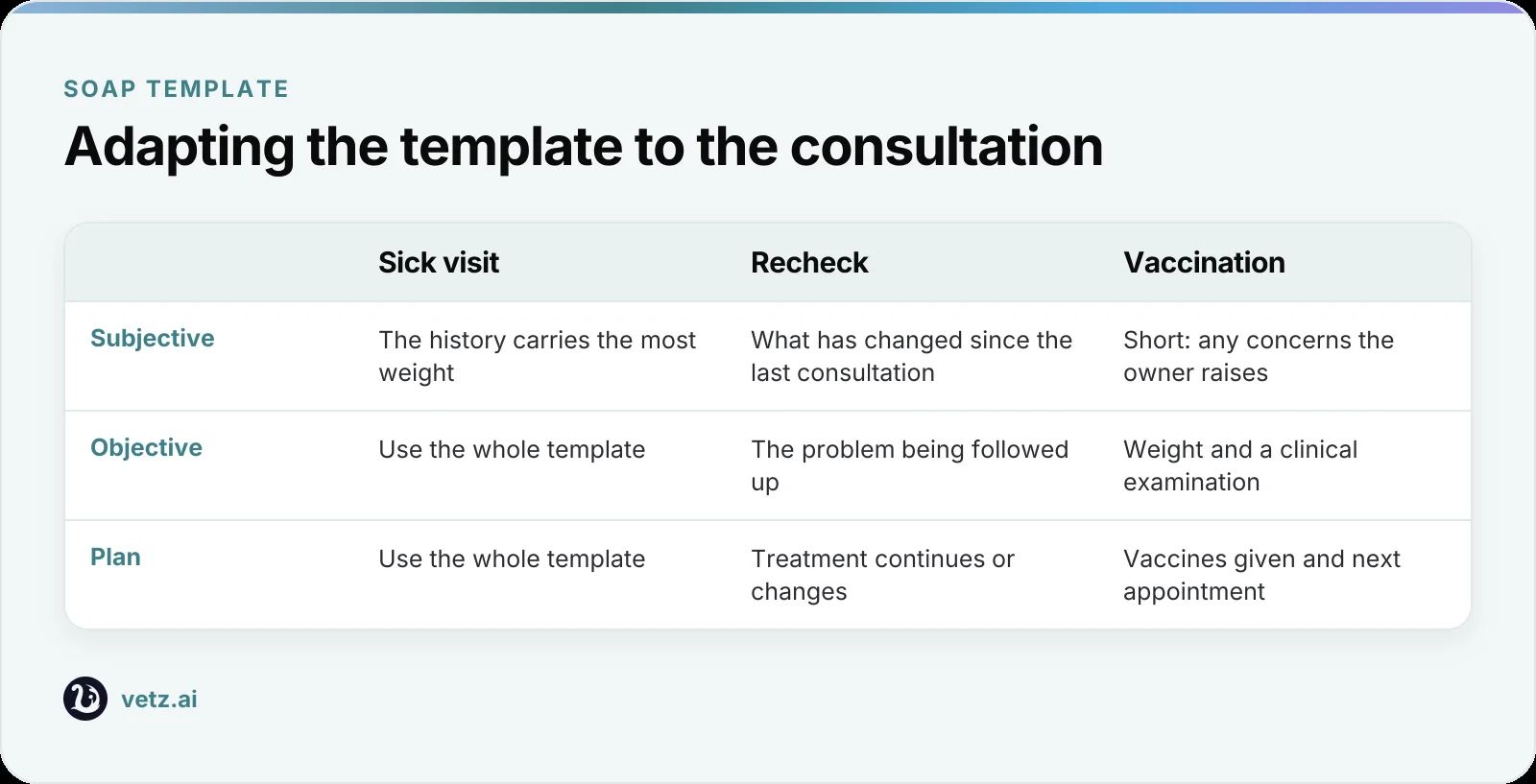
For a first-opinion sick visit, use the whole template. The subjective and assessment sections carry the most weight here, because the history and your differentials are what the next vet needs if the patient comes back.
For a recheck, the subjective section can open by referring to the previous consultation and then record what has changed since, including how the owner has managed with the treatment plan. The objective section concentrates on the problem being followed up, and the plan says whether the treatment continues as it is or changes.
For a vaccination appointment, the subjective section is usually short and records any concerns the owner raises about the patient's general health since the last visit. Weight and a clinical examination still belong in the objective section. The plan records the vaccines given, with batch numbers if your practice keeps them in the note, and when the next appointment is due.
Common gaps in SOAP notes
The gaps below make a SOAP note harder to rely on when someone else picks up the case.
- The plan stops at treatment and never says when the patient should be seen again or who will call with results, so nobody can later tell whether a follow-up was missed or never arranged.
- Only abnormal findings are written down, which leaves the next vet unsure whether a body system was examined and found normal or not examined at all.
- The assessment names a single diagnosis when the findings did not settle the question, with no record of the differentials you were weighing at the time.
- Something the owner reported, such as vomiting at home, is written in the objective section, where it reads as a finding you observed yourself.
- A conversation about cost or declined options happened in the room but never made it into the plan.
Our guide to common mistakes in vet record keeping goes through more of these and how to avoid them.
What the RCVS says about clinical records
The RCVS Code of Professional Conduct for Veterinary Surgeons requires veterinary surgeons to keep clear, accurate and detailed clinical and client records. Chapter 13 of the RCVS supporting guidance adds that clinical records should provide a complete and relevant account of the animal's clinical history, sufficient to support continuity of care. According to the same chapter, records should be objective and factual, and entered at the time or as soon as reasonably practicable afterwards. Where a record is amended to correct an error, the RCVS says the amendment should not remove or obscure the original entry.
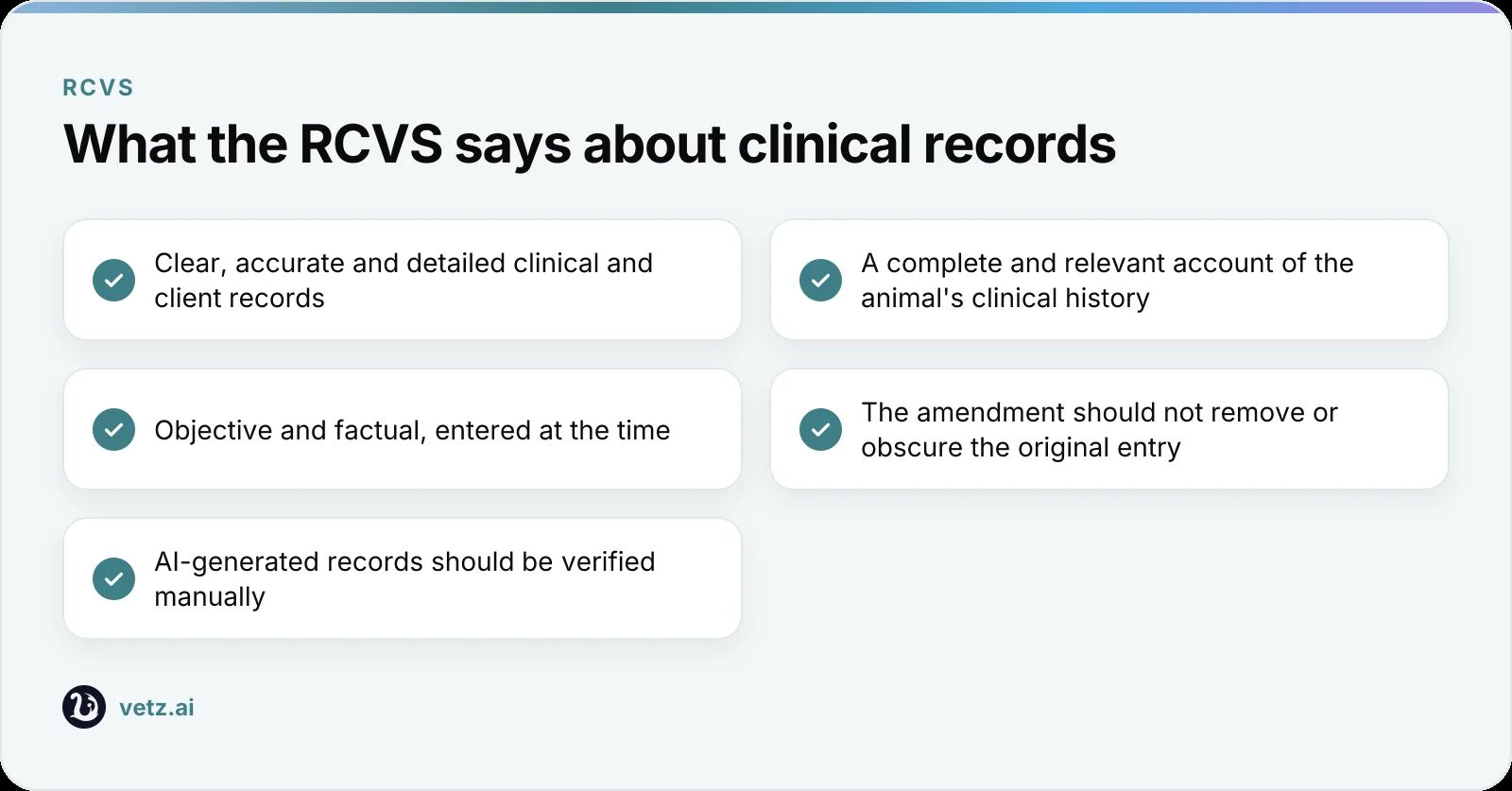
The RCVS advice on using AI in practice says that this standard applies where scribing tools are used, and that AI-generated records should be verified manually, with any necessary edits made at the time.
The RCVS guidance does not set a fixed retention period. It says clinical records should be kept for as long as is necessary, taking account of the practice's legal and regulatory responsibilities and of its professional indemnity insurance, whose conditions may specify a minimum period.
Writing SOAP notes with Vetz
Vetz listens during the consultation with the owner and writes a structured draft of the clinical note from the conversation. It uses your practice's own note templates, so if your team works in SOAP, the draft arrives under your SOAP headings with the fields you have set up. Vetz helps practices set up templates that match their own routines, and the draft is ready within a few seconds of the conversation ending.
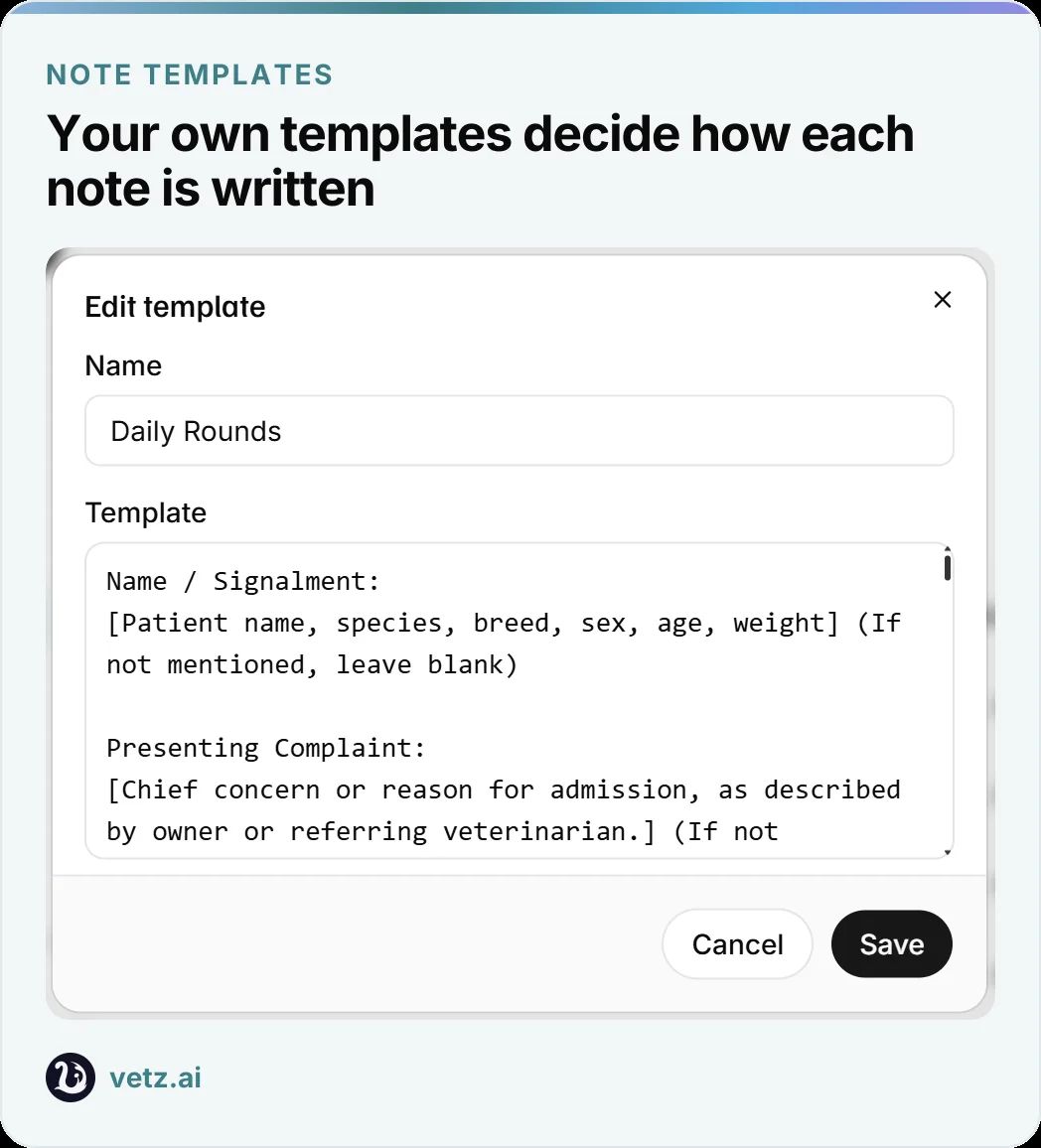
Before you sign, you read the draft and change whatever needs changing, either by hand or by asking Vetz to improve, rephrase or clarify a passage. Vetz is there to support the note, and you keep control of what it says.
Vetz also points out parts of the note that are missing, such as the history or the diagnosis, and can suggest differential diagnoses for you to consider. From the finished note it suggests diagnosis codes and items to bill, and it can generate home-care advice for the owner in plain language. If you would rather speak than type, smart dictation transcribes what you say and structures it into the note. The full list is on the features page, and our page on AI note taking for vets describes the wider workflow.
Getting the note into your practice management system
Vetz integrates with Provet Cloud, Vettigo and MHK FileMaker. With the integration active, your bookings appear in Vetz automatically, and once you have approved the note it can be transferred to your practice management system with one click, so nobody copies text between screens.
If your practice uses another system, ask Vetz whether it is already supported. Vetz supports most of the larger practice management systems and can build an integration for most of the others. How the transfer works in practice is set out in our article on integrating Vetz with your practice management system.
Questions to settle before an AI writes your SOAP notes
Vetz recommends telling owners that AI is used to support the clinical note, and it can give you ready-made wording for doing so.
Vetz handles conversations with more than one speaker, such as the vet and the owner, copes with different dialects and accents, and also works for video and phone consultations. It runs in the browser with nothing to install, and as an app on iPhone and Android, on any device with a microphone.
Data handling is a question for any vendor that records consultations. Before you sign up for an AI scribe, ask the vendor these questions and keep the answers on file.
- Where are recordings, transcripts and notes stored, and in which country?
- Which subprocessors handle the practice's data?
- How long is audio kept after the note has been written?
- Can the practice have its data deleted, and how quickly does that happen?
- Is any practice data used to train the vendor's models?
Vetz sets out how it handles data on its security page. You can try Vetz free for 14 days without giving card details, or book a demo first.
